 WeSing AI
Text to Video
Describe a scene in plain words — up to 7,000 characters — and MiniMax H3 turns it into a 5–15 second video with motion, camera work, and sound. The more film language you use, the more directed the result feels.
Launch offer MiniMax H3 annual plans are 50% OFF
No input assets required.
Source preview · MiniMax H3 · MiniMax
No input assets required.
Source preview; generation with your selected model may differ.
Third-party creator preview, not a generation verified on h3max.io. The library prompt is an adaptation, reconstruction or workflow; results may differ. Original creator rights apply; source attribution retained.
integrated_multimodal_description: [Shot 1] Cinematic, medium wide shot, pushing in slowly. In the cavernous, dimly lit bridge of a starship, sleek metallic consoles with glowing amber displays flank a massive, curved observation window. A female captain, in her late 40s with an athletic build and short silver-streaked black hair, stands in the center midground. She wears a structured, high-collared dark navy military tunic with silver chest insignias. Her back is to the camera, silhouetted against the cool, ambient starlight pouring through the thick glass. She stands perfectly still with her hands clasped tightly behind her back. Outside the window, a massive armada of jagged, dark grey dreadnoughts hovers in tight formation against a deep purple space nebula. The fleet's massive rear thrusters begin to glow with an intense, escalating bright blue light. [Shot 2] At 00:04.500, the camera cuts to a close-up of the captain's face and shakes strongly. The brilliant blue-white light from the fleet's gathering energy reflects vividly in her dark eyes. Suddenly, a blinding white flash floods through the window, completely washing out the background as the fleet jumps to hyperspace. The sheer spatial force violently jolts the bridge, causing the captain from Shot 1 to stagger slightly forward, her shoulders tensing as she visibly braces herself against the physical tremors. As the intense white light fades abruptly, leaving only the dim, empty expanse of the purple nebula reflected on her starkly lit skin, her jaw clenches, and she slowly closes her eyes in the newly emptied space. overall_soundscape: A low, resonant hum of the ship's ambient life support systems serves as the baseline, soon drowned out by an audible, escalating, high-pitched electronic whine as the fleet outside charges its hyperdrives. A massive, deafening, bass-heavy boom and sharp crackle erupts during the blinding flash, accompanied by the loud metallic creaking, rattling, and deep thuds of the bridge's bulkheads vibrating under immense physical stress. The intense roaring impact then cuts abruptly back to a hollow, echoing room tone, leaving only the faint, steady hum of the isolated bridge. non_diegetic_music: Cinematic space-opera orchestral score, slow tempo, featuring a solitary, mournful French horn melody over deep, sustained string dissonances that build rapidly in volume and intensity, swelling to a massive orchestral peak before snapping immediately into silence right after the jump.
Inside MiniMax H3
MiniMax H3 is built around three strengths — mix any reference into one shot, edit with a single sentence, and ship commercial-grade output in crisp 1440p with native stereo audio.
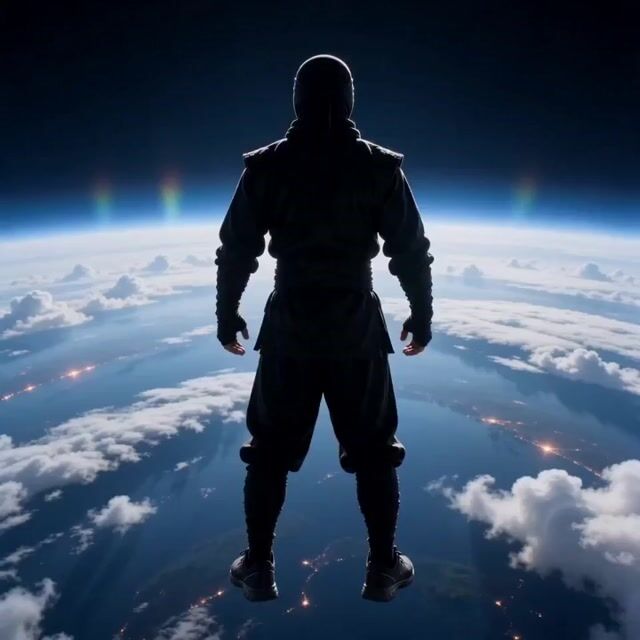
Combine up to 9 images, 3 clips, and 3 audio tracks into a single coherent, cinematic shot.
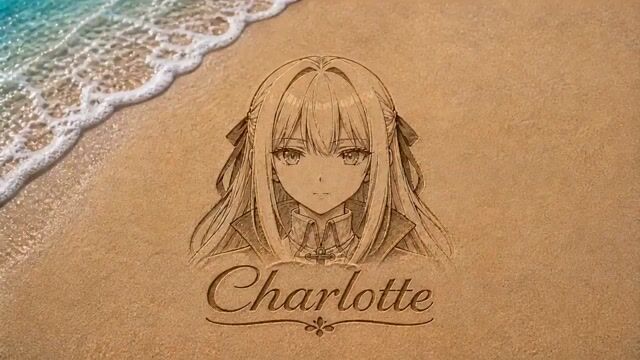
Swap a character, relight a scene, or rewrite a line of dialogue — everything else stays untouched.
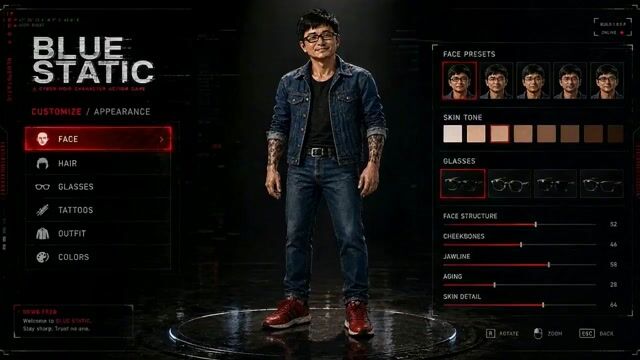
Product labels, on-screen text, and brand marks render cleanly, ready for ads and e-commerce.
Highlights
This AI video generator is powered by MiniMax H3, a general-purpose multimodal video model. Write a prompt, add a photo, or upload a clip and receive a finished video with native stereo sound. No editing skills are required.
Describe a scene in plain words — up to 7,000 characters — and MiniMax H3 turns it into a 5–15 second video with motion, camera work, and sound. The more film language you use, the more directed the result feels.
Animate any photo, product shot, or illustration. Set a first and last frame to control exactly how a shot begins and ends, and H3 fills in smooth, natural motion between them at up to 1440p.
Every video comes out with two-channel stereo sound — ambience, effects, music, and lip-synced dialogue. No silent clips, no separate sound design step, no extra tools.
Upload a clip and tell H3 what to change: swap a character, remove an object, replace the background, relight the scene, or rewrite the dialogue. Unedited content stays stable frame to frame.
Combine up to 9 images, 3 video clips, and 3 audio tracks in one request. Keep a character's face consistent, copy choreography from a dance clip, or clone a voice from a sample.
Generate in 21:9, 16:9, 4:3, 1:1, 3:4, or 9:16 at 24 FPS. One AI video generator covers cinema-wide trailers and vertical phone-first content alike.
Scenarios
From quick social clips to commercial-grade brand films, this AI video generator handles the scenes that matter to real creators and teams.
Generate ten ad concepts before lunch. MiniMax H3 renders brand text, logos, and product details accurately, so you can validate creative directions in hours instead of briefing a studio.
Ship vertical 9:16 videos for TikTok, Reels, and Shorts with sound already synced. Go from idea to post in minutes and keep your feed active without a camera crew.
Turn flat product shots into listing videos that convert. Show your product in lifestyle scenes with motion, lighting, and a voiceover — no studio booking required.
Pitch with motion, not slides. Directors and agencies use MiniMax H3 to previsualize scenes, test looks, and get client sign-off before production spends a dollar.
Direct cinematic sequences with rack focus, hard cuts, and title cards. H3 speaks real camera language and delivers synced sound design in the same pass.
Create character PVs, first-person gameplay shots, and animated interface walkthroughs. H3 keeps HUDs readable and characters on-model across every cut.
How it works
No timeline, no plugins, no learning curve. Here is the whole workflow.
Step 01
Type a prompt, or switch to image to video and upload a starting frame. Add reference images, clips, or audio if you want tighter control over characters, motion, or voice.
Step 02
Choose your aspect ratio and duration, then hit Generate. MiniMax H3 creates your video with native stereo audio in a few minutes.
Step 03
Want a change? Describe the edit in plain language — H3 updates just that part and keeps the rest stable. Download in up to 1440p and publish anywhere.
FAQ
No. New accounts do not receive automatic credits. Purchase a monthly plan, yearly plan, or credit pack to use text-to-video, image-to-video, and video editing.
Contact MiniMax H3 at hi@wesing.ai